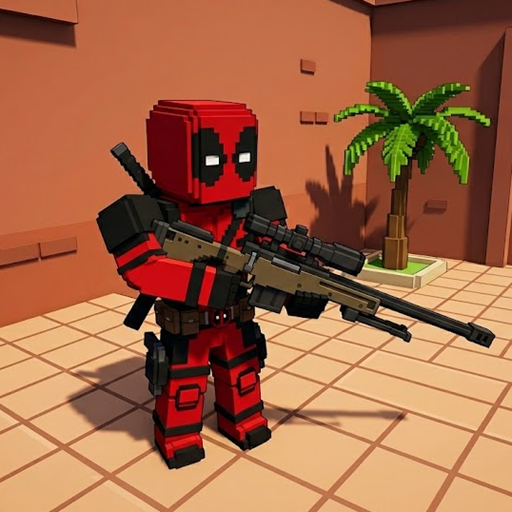
Have you ever wanted a fast, fun, and chaotic shooting game right in your browser? Seeing the 'Welcome back, Beast Boy!' message on my screen today got me instantly hyped to play. I just jumped back into this game, and it is still a massive blast. If you love pure action, you really need to check this out. It fits perfectly into the world of awesome Shooting Games that keep you on the edge of your seat.
As a gamer who spends hours testing browser shooters, I want to share my honest experience. Here is everything you need to know to dominate the arena.
Pixel Toonfare 3D Overview
Pixel Toonfare 3D is a fast-paced, multiplayer first-person shooter. It features cool, blocky, voxel-style graphics that look great and run smoothly. You battle other players in various blocky arenas.
When you first load in, the game asks you to select your nearest region. You can choose between America, Europe, or Asia. I highly recommend picking the one closest to you. This keeps your ping low and your shots accurate!
Master The Game
How to play Pixel Toonfare 3D?
Getting into a match is super easy. Once you pick a region, you will enter the main menu interface.
From the side menu, click on Lobby. Here, you will see a list of active matches. You can see the match name, game mode, map, and current players. You can easily click the Create Room button on the top right. This lets you start your own match and wait for others to join.
Before you jump into the crossfire, always click the Loadout tab on the left menu. Pick the best weapons for your playstyle. A good loadout is the secret to winning.
Pixel Toonfare 3D Control Keys
The controls are very simple to learn. If you have played other web shooters, you will feel right at home.
- W, A, S, D: Move your character around.
- Mouse: Look around and aim your weapon.
- Left Mouse Click: Shoot enemies.
- Right Mouse Click: Aim down sights (for better accuracy).
- Spacebar: Jump over obstacles.
- R: Reload your gun.
- Shift: Sprint to run away or rush into battle.
Tips and Tricks for Beginners
As an experienced player, I have a few tricks up my sleeve. Movement is your best friend in this game. Never stand completely still. Keep jumping and strafing to make yourself a hard target.
Also, use the Settings tab in the main menu to adjust your mouse sensitivity. Lower sensitivity often helps with aiming. If you want a different kind of multiplayer challenge after warming up here, you can always head over to 2v2.io for some intense team-based action. But when you are in Pixel Toonfare, focus on learning the map layouts. Knowing where to hide can save your life.
Pixel Toonfare 3D FAQs
Is Pixel Toonfare 3D free to play?
Yes, it is completely free. You can play it directly in your web browser without downloading any heavy files.
Can I create a private room for my friends?
Yes, absolutely. You can use the Create Room button inside the lobby to host a custom match and invite your friends to join your server.
Does the game require a high-end PC to run?
No, it does not. The blocky graphics are very lightweight. The game runs very smoothly on most standard laptops and older computers.