SimpleBox 2 Game Overviews
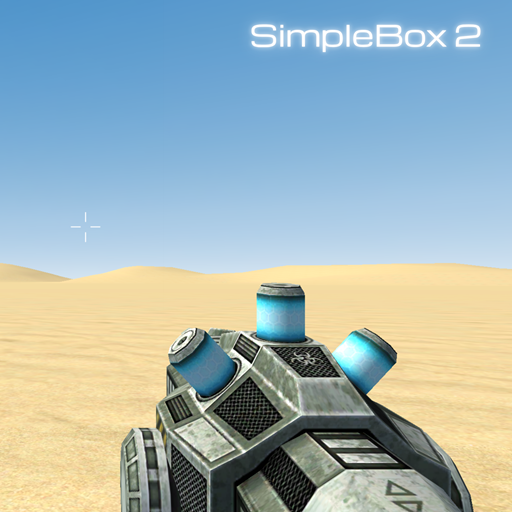
SimpleBox 2 is a single-player physics sandbox. You start in an empty world. From there, you are the boss. You can spawn everyday items, funny ragdolls, and fast vehicles. You can build crazy flying machines. Or, you can just blow things up. The game features different maps to choose from right at the start menu. You can play on a flat Plane, a massive Desert, or the Bigren map.
If you are a fan of Sandbox Games, you will feel right at home here. It actually reminds me a bit of the creative building freedom you get in Bloxd.io. However, SimpleBox 2 places much more emphasis on wild physics and moving parts.
How to Play SimpleBox 2?
Basic Movement and Menus
You move around the map using the classic W, A, S, and D keys on your keyboard.
To open your main item menu, press Q. If you want to change your current tool, hit the Tab key. Did you spawn something by accident? No problem. Just press Z to quickly remove the last object you spawned.
Spawning and Moving Objects
When you press Q, a large screen appears. You will see tabs for Props, Tools, Ragdolls, and Vehicles. You can find everything from furniture to street signs. Just click on an item, like a horse head or a sofa, to spawn it into the world.
Your main device is a high-tech gravity gun. It is my favorite thing to use! Aim at an object and use your Left Mouse Button to pick it up or drop it. If you need an object to stay perfectly still in the air, hit the Right Mouse Button to freeze it. You can also press R to rotate items. This is very helpful when you are trying to attach things together.
How to Use Tools in SimpleBox 2?
Building functional machines is the best part of this game. You are not just dropping boring blocks. You can actually make things move.
For example, you can use the Thruster tool. First, I like to spawn a flat board and attach a chair to it. Then, open your menu and go to the Tools section. Select the Thruster. The game lets you bind specific keyboard keys for the Push and Pull actions. You can even adjust the force of the rocket using a slider. I attached four thrusters to my chair, pressed my assigned button, and watched my homemade ship fly across the desert map! It is pure chaos and incredibly fun.
SimpleBox 2 FAQs
Is SimpleBox 2 a free game?
Yes. You can jump in and start playing without having to buy the base game.
Can I drive vehicles in the game?
Yes. You can easily spawn sports cars from the vehicle menu and drive them around the open maps.
Does the game have a multiplayer mode?
No. The game currently focuses on a single-player sandbox experience where you build and experiment on your own.