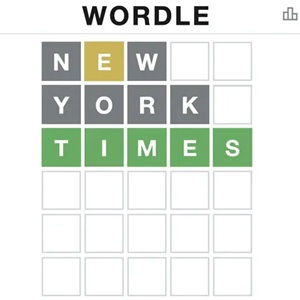
Wordle
 TNT Sandbox
 Her Trees
 Block Breaker
 Slope
 Basket Random
 Nonogram
 Space Waves
 Alone on Island
 Geometry Dash Lite
 Sandboxels
 Harvest Simulator
 Geometry Dash SubZero
 Last Play: Ragdoll Sandbox
 Solar Sandbox
 2v2.io
 Melon Sandbox
 Geometry Jump
 Minefun.io
 Minecraft
 Geometry Dash Breeze
 SimpleBox 2
 Madness Melee
 Bloxd.io
 Sandbox City 3D
 Kour.io
 Miniblox
 Geometry Dash Wave
 Dye Hard
 Poxel.io
 Minecraft Geometry Dash
 Kirka.io
 Orion Sandbox
 Bloons TD 6
 Havendock
 Slow Roads
 Mutilate A Doll 2
 Block Sandbox
 Block Blast
 A Small World Cup 2
 No Pain No Gain - Ragdoll Sandbox
 The Final Earth 2
 Geometry Jump 2
 Sandbox Peaceful
 Sandbox Survival
 Destroy The Ragdoll Sandbox
 Stardew Valley
 Terraria
 Mega Ragdoll Sandbox
 GrindCraft
 Synesthesia
 Crazy Parkour
 Pixelmon Town
 Pixel Toonfare 3D
 Minecraft Skyland
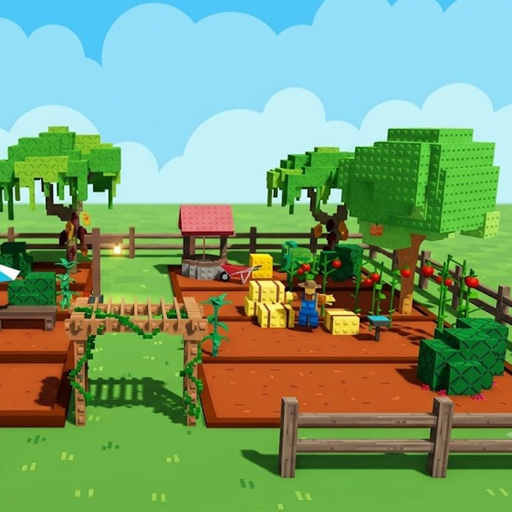 Grow A Garden
 Vectaria
 Wildlife Haven: Sandbox Safari
 Poor Bunny
 Fish It
 Ducklings.io
 Snake Game
 City Brawl
 Dummies World Cup
 Galaxy Shooter
 Klondike Solitaire
 Voxmaxa
 Mahjong
 Tic Tac Toe
 Solve Math
 Bubble Shooter
What is Wordle Game?
Wordle is a fun daily word puzzle where you guess hidden words using colored letter clues in six quick tries. Check it out now to guess today word!
If you love quick brain games that test your vocabulary, you need to try Wordle. It is one of the most popular web browser games in the world today. I play it every morning with my coffee. The rules are super simple, but cracking the code can be surprisingly tricky.
In this guide, I will share my personal experience playing Wordle Game, break down how the visual feedback works, and give you practical tips to protect your daily winning streak.
Play Wordle Online
Rules of The Game
Wordle is an online word puzzle game where the goal is to guess a hidden word. You get six attempts to guess it correctly.
Every time you type a word and press Enter, the tile colors change. These color changes give you instant feedback about your guess.
- Green tiles: The letter is in the secret word and placed in the exact right spot.
- Yellow tiles: The letter is in the secret word but is in the wrong position.
- Gray tiles: The letter does not appear anywhere in the hidden word.
This color system makes the game feel like a logic puzzle. You do not just guess randomly. You use the process of elimination to narrow down the remaining possibilities step by step.
Controls
- Keyboard: Type letters directly using your physical keyboard.
- On-Screen Keyboard: Click or tap the virtual keys shown under the game grid.
- Enter Key: Press Enter to submit your complete word guess.
- Backspace Key: Press Backspace (or the delete icon) to erase a letter before submitting.
- Letter Length Slider: Some web versions like Hello Wordle allow you to adjust word lengths using a top slider bar from 4 to 11 letters.
- Give Up Button: If you get stuck on a hard word, click Give Up to reveal the solution immediately.
Tips and Tricks
- Pick a strong starting word: Choose a word with three vowels and common consonants like ARISE, CRANE, or AUDIO. This uncovers essential letters right away.
- Do not repeat gray letters: Once a tile turns gray, avoid using that letter again. It sounds obvious, but it is an easy mistake to make when you rush.
- Watch out for double letters: Words like GREEN or APPLE use the same letter twice. The game grid will not always warn you about duplicates, so keep this trick in mind when you are stuck.
If you enjoy creative web games that let you experiment freely, check out our collection of Sandbox Games. For players who love elemental simulations and open-ended tinkering, you should also try Sandboxels.
Frequently Asked Questions
Can you play Wordle more than once a day?
- Yes. While the original version offers one daily puzzle, many custom web browser versions allow unlimited daily games and custom letter lengths.
Is Wordle Game free to play?
- Yes. You can play the game completely free directly in your web browser without downloading any software or paying fees.
Does a yellow tile mean the letter is used twice?
- No. A yellow tile only means that the letter exists in the secret word, but you placed it in the wrong column.