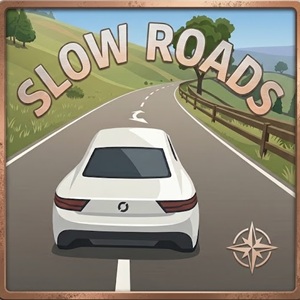
Slow Roads offers a relaxing endless driving experience directly in your web browser with smooth physics, procedural scenery, and custom ambient controls.
About Slow Roads
Looking for a game where you can just chill out and cruise without aggressive timers or competitive pressure? Most browser games throw constant chaos at you. Fast cars, loud crashes, and strict laps can get exhausting fast.
I stumbled upon Slow Roads 3D while searching for something casual to play during a quick study break. Honestly, it blew me away. Instead of forcing you to race against AI opponents or clear checkpoints, this title lets you drive endlessly through procedurally generated landscapes. It feels less like a traditional video game and more like a digital breather.
If you love exploring open spaces at your own speed, this title fits perfectly alongside your favorite Sandbox Games and relaxing Driving Games.
What Makes Slow Roads So Addictive?
The magic of Slow Roads lies in its total simplicity. You jump straight into the driver seat without reading long tutorials or grinding for upgrades.
When I first loaded into the world, I expected a basic low-poly map with short boundaries. Instead, the game kept generating hills, trees, curves, and rolling meadows indefinitely. Everything feels seamless. The physics engine hits a sweet spot between realistic weight transfer and forgiving control. You can take turns smoothly or drift slightly off the road without exploding into a game over screen.
Here are a few features that make this game special:
- Endless procedural roads that never repeat the exact same layout.
- Clean visual design with soft lighting and natural green landscapes.
- Zero stress from clocks, scores, fuel limits, or traffic collisions.
- Instant load times right inside any modern web browser.
Slow Roads 3D Gameplay
Game controls
- W / Up Arrow - Accelerate / Drive Forward
- S / Down Arrow - Reverse / Brake
- A / Left Arrow - Steer Left
- D / Right Arrow - Steer Right
- F - Toggle Autodrive
- Q / E - Change Scene / Landscape Theme
- R - Restart
Pro tips
If you want to use the game as background relaxation while listening to a podcast, press F to enable Autodrive. The computer takes control of steering and speed, turning your screen into a dynamic scenic screen saver. When you want to take over again, hitting any movement key instantly gives control back to you.
Why Is It Perfect for Sandbox Game Fans?
Sandbox lovers crave freedom above all else. You do not want arbitrary boundaries telling you where to turn or forcing you down a linear corridor.
Slow Roads 3D captures that exact sandbox philosophy. While you stay on asphalt or dirt paths, you decide how fast to drive, when to stop, and how long to follow a specific route. Pressing Q or E lets you swap visual themes instantly, shifting the terrain around you. You get to curate your own peaceful environment.
Frequently Asked Questions
Can you crash or break your car in Slow Roads?
- No. The game focuses entirely on relaxation, so running off the road or hitting fences will not destroy your vehicle or restart your progress.
Does Slow Roads cost money or require an account?
- No. You can play full sessions directly in your web browser for free without registration or payment.
Is there a multiplayer mode to drive with friends?
- No. The current experience is strictly single-player, designed for solo exploration and stress relief.
Can you play Slow Roads offline?
- No. You need an active internet connection to load the game assets and procedural generation files inside your browser.